Creating a MySQL Database
Set up a database for your website, CMS, or application.
-
Structured Data
Data organized in tables for fast access.
-
High Performance
MySQL is optimized for web applications.
-
Security
Access rights and connection encryption.
-
CMS Ready
WordPress, Drupal, Moodle – all require a database.
When Do You Need a Database?
- CMS Systems
-
WordPress, Joomla, Drupal, Moodle – all store content in a database.
- E-commerce
-
WooCommerce, PrestaShop – products, orders, customers.
- Web Forms
-
Contact forms with response storage.
- Login Systems
-
User accounts, profiles, settings.
Available Databases
| Database | Use Case | Recommended For |
|---|---|---|
| MySQL / MariaDB | Most widespread | WordPress, e-shops, CMS |
| PostgreSQL | Advanced features | Complex applications, GIS |
Recommendation
For most websites and CMS systems, MySQL is the best choice.
Database Creation Process
Log in to the Portal
Open the portal and select your domain.
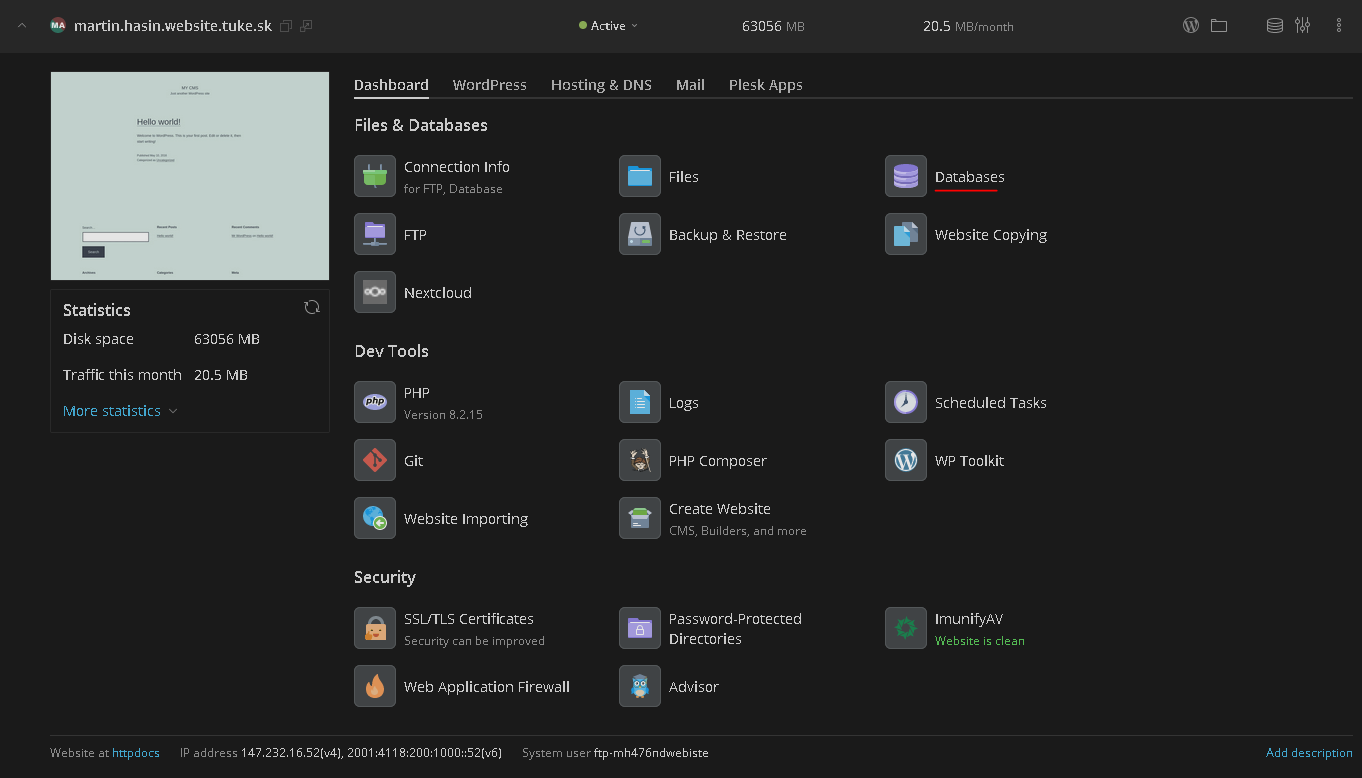
Open Databases Section
In the left menu, click on Databases.
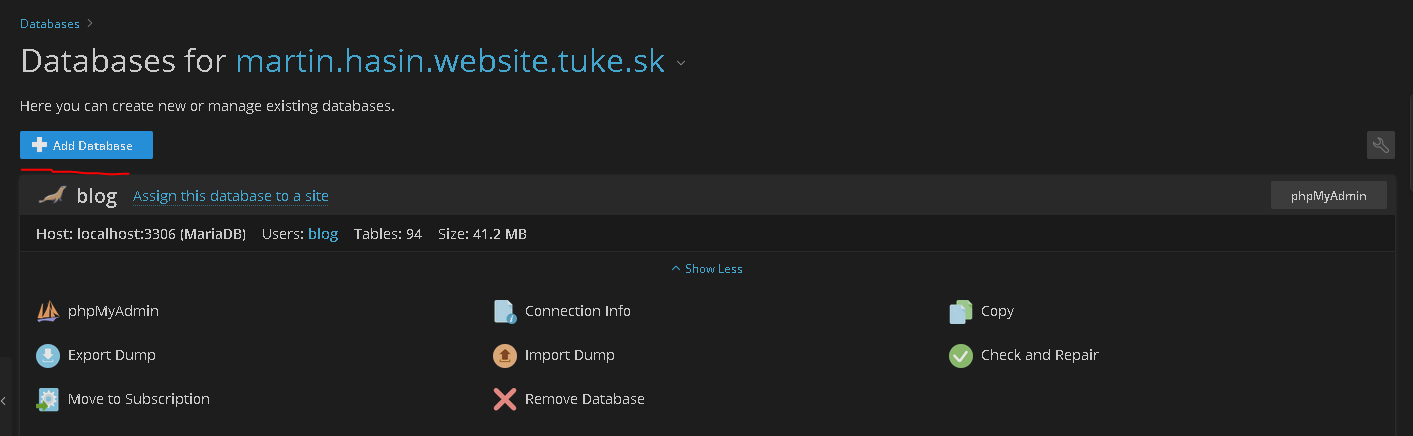
Create New Database
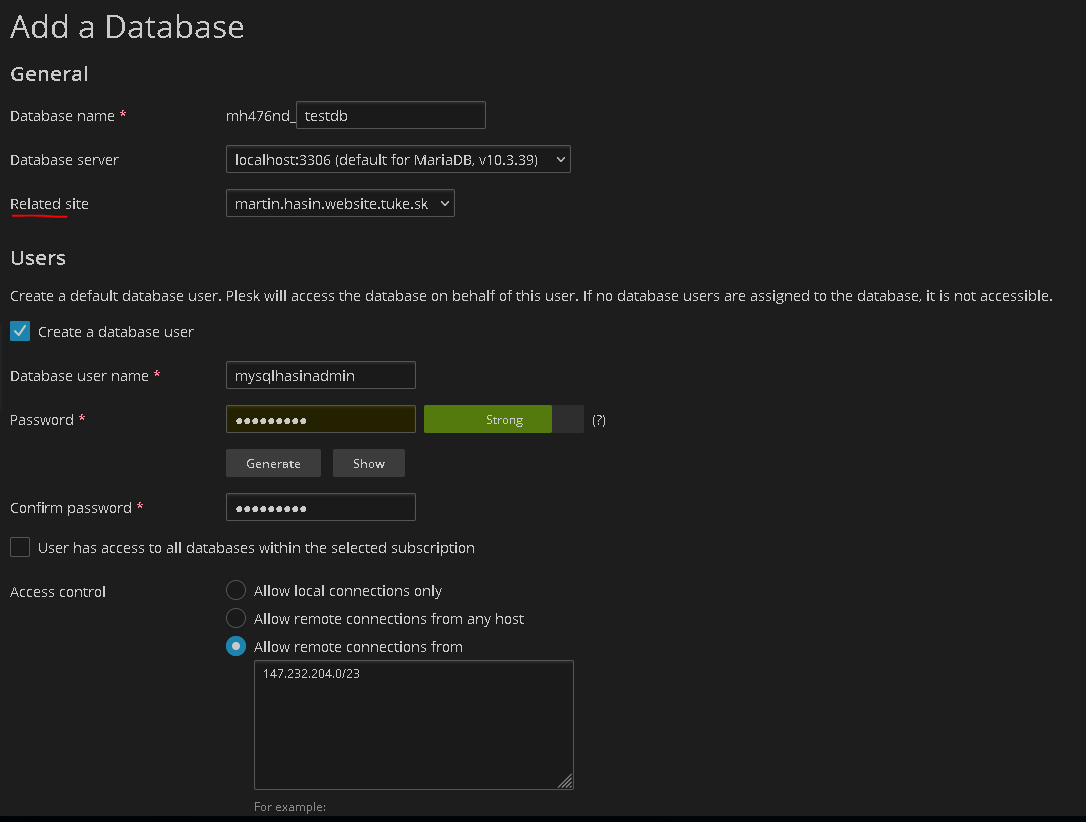
Click Add Database and fill in:
| Field | Description |
|---|---|
| Database name | Database name |
| User name | Login user |
| Password | Strong password for user |
Use Access Credentials
To connect your application, you need:
Server hostname: localhost
Database name:   database_name
Username:        created_user
Password:        chosen_password
WordPress wp-config.php
Security Recommendations
Protect Your Data
- Strong password – never use the same password as your TUKE ID
- Minimum privileges – give application only necessary permissions
- Regular backups – use Plesk Backup Manager
- Update CMS – old versions have security vulnerabilities
Common Issues
Cannot connect to database
Check login credentials in application configuration.
Solution: Verify hostname (localhost), database name, and password.
'Access denied' error
Incorrect username or password.
Solution: Reset password in Databases section.
Database is full
Size limit exceeded.
Solution: Delete unnecessary data or contact support.
Database Management
-
phpMyAdmin
Web interface for database management directly in Plesk.
-
Backups
Regular backups via Backup Manager.